
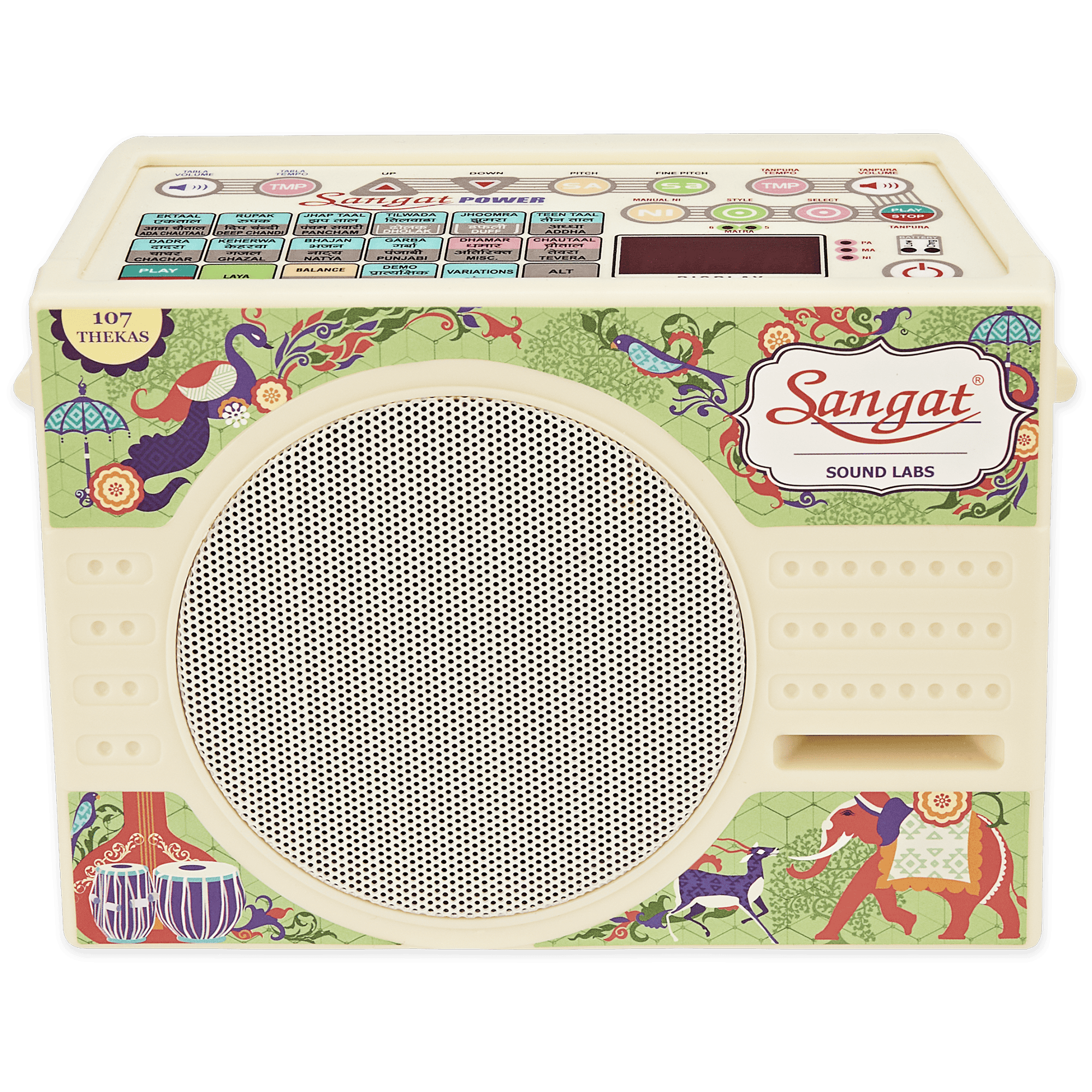
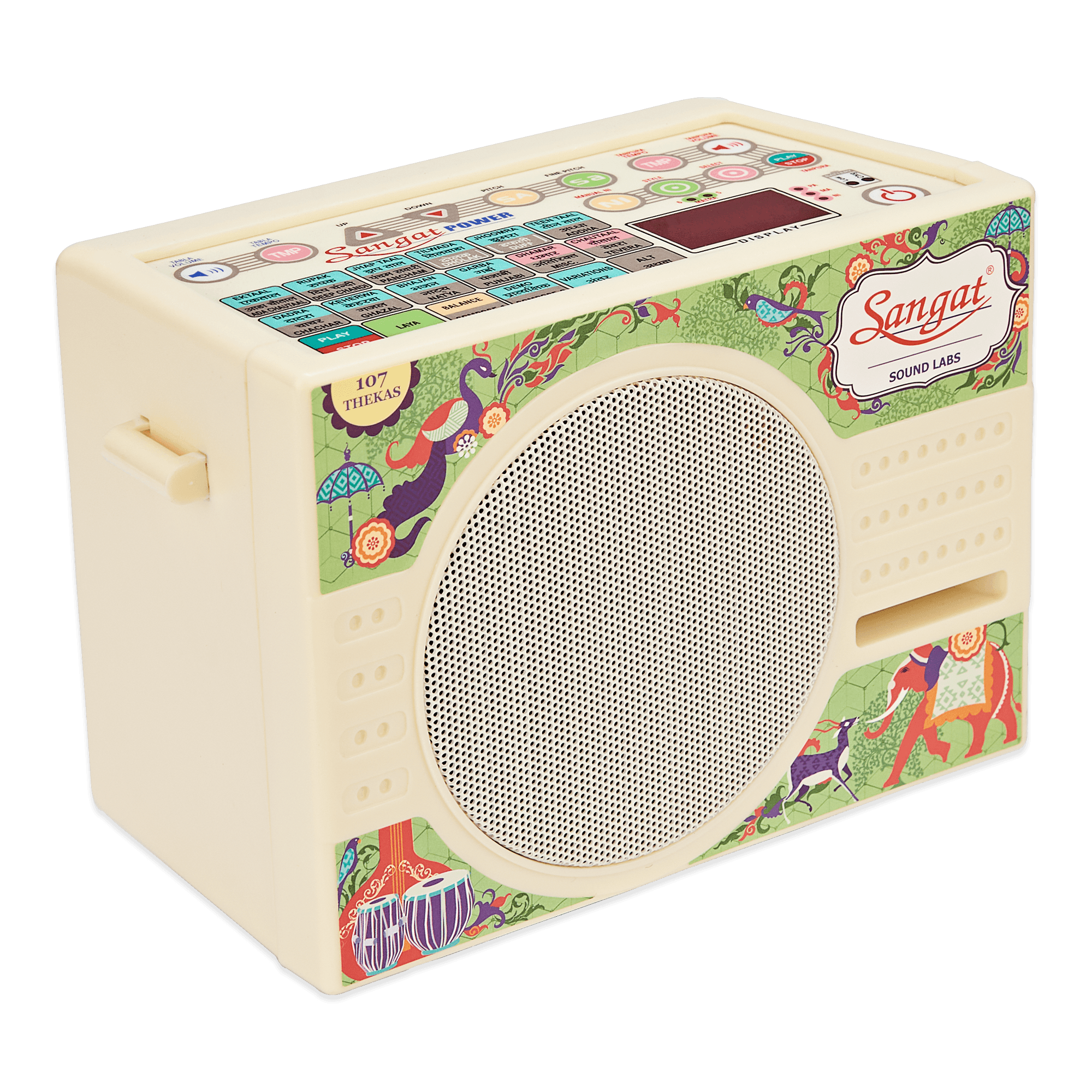
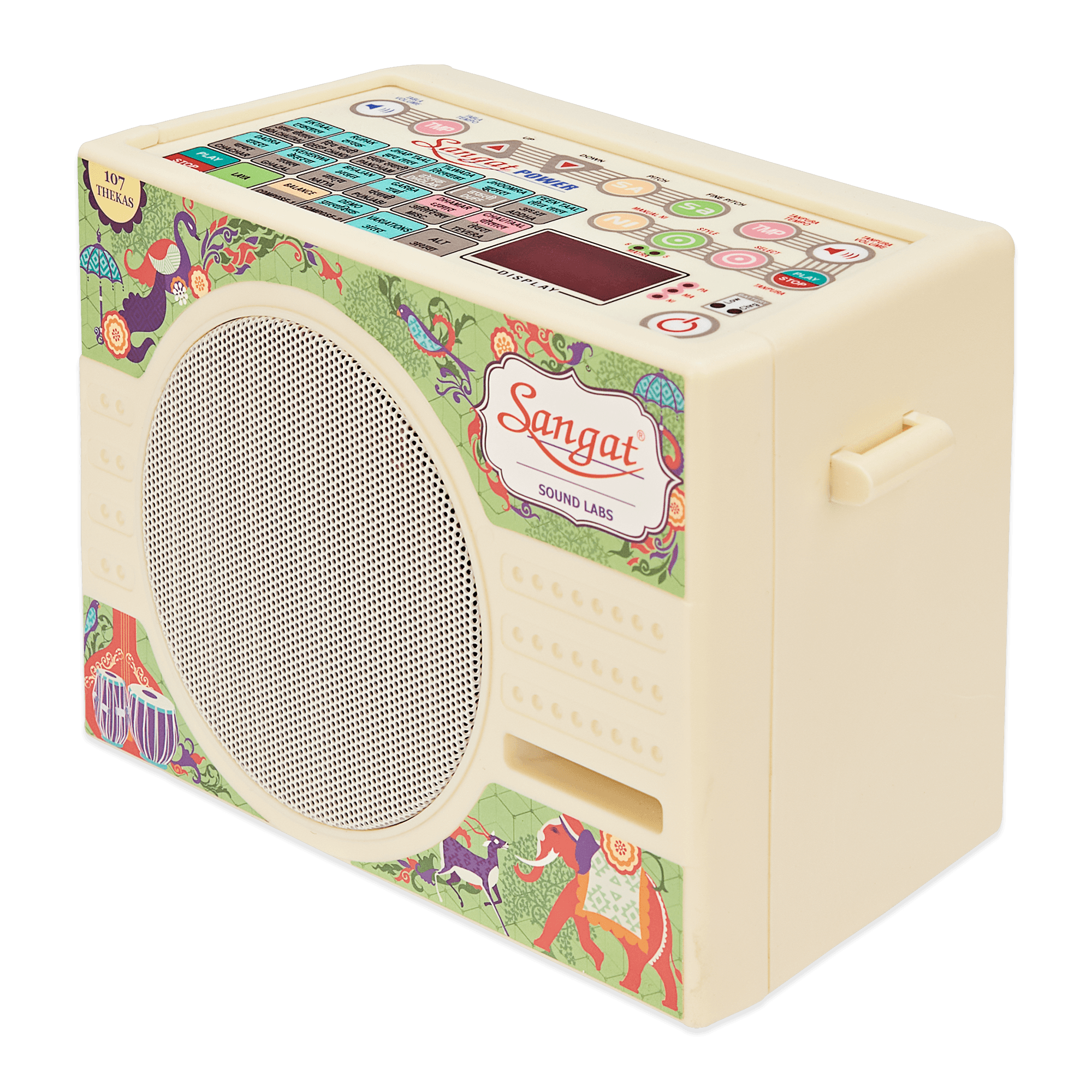
Product Specifications

Pitch Synchronized Tabla + Tanpura machine

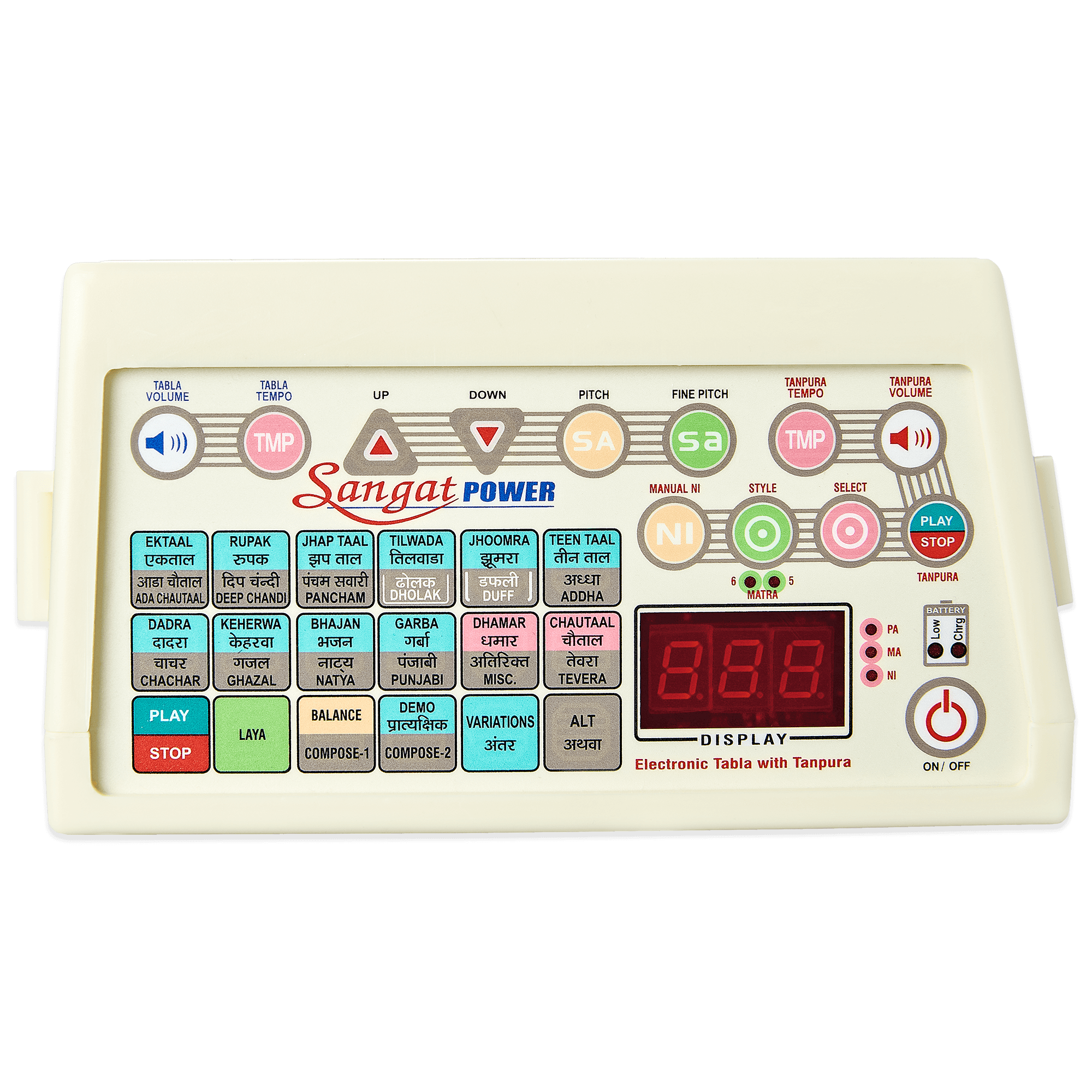
5 Unique Instruments in One
- Sangat Power offers Electronic Tanpura, Tabla, Pakhawaj, Duff & Dholak in one instrument
Plays Both Tanpura & Tabla Together:- Sangat Power can play the Tanpura and the Tabla / Pakhawaj / Dholak / Duff together.

Pitch Synchronization
- A unique feature of the instrument is the pitch synchronisation of the Tanpura with the Tabla. When the particular Pitch is selected, it is set for both Tanpura & Tabla.

Natural Tone
- The Sangat Power is equipped with the natural tone of a Tanpura, Tabla, Pakhawaj, Duff & Dholak.

Individual Play / Stop
- The user can only play the Tanpura or the Tabla of Sangat Power.

Individual Volume Control
- Sangat Power has independent volume control for Tanpura and Tabla/Pakhawaj/Dholak/Duff.

Hi-Power Speaker
- Sangat Power can deliver such a great tone with clarity because of its Hi-Power speakers. This also helps in reducing the weight of the instrument.

Pitch Range
- The Pitch ranges from C to E (Higher Octave)

Tabla Features of Sangat Power

107 Thekas & 24 Taals
- Sangat Power offers a wide range of Taals and Thekas for regular Practice at the press of a button. Teen Taal, Ek Taal, Rupak, Dadra are a few to name. Taals also come in with a variety of thekas.

Composer with Memory
- The composer function of Sangat is one of its stand-out features that lets users create their taal as per their requirements. In addition, the memory function helps retain your composition even when the power is switched off.

Demo Mode
- The Sangat Machine’s in-built demo mode of the instrument plays all selected taals one after the other continuously for one Avartan each.

Laya
- Dhrut, Madhya, Vilambit & Ati Vilambit:- Sangat Power is readily equipped to play a selected taal in different layas. This laya setting is independent of the instrument's tempo setting.

Tanpura Features of Sangat Power

Pancham, Madhyam & Nishad
- The Sangat Power Electronic Tanpura machine has easy switch operation to select accurately pre-tuned Pancham, Madhyam & Nishad.

Hindustani & Carnatic Playing Styles
- With the touch of the Style Button & Sangat Power will play either PA, SA, SA SA (Kharaj) ( 6 Matra, Carnatic music style) or PA, SA, SA, SA (Kharaj) (5 Matra, Hindustani style)

Manual Nishad Tuning
- In the case of Nishad, the Sangat Power instrument also allows you to manually tune the Nishad to adjust to your unique needs.

Other Features of Sangat Power

Feather Touch Keyboard
- Sangat Power, with its cutting-edge technology, has incorporated the feather-touch keyboard. It has no knobs or switches, improving accuracy and eliminating transit damage and corrosion.

ABS Plastic Cabinet
- The Cabinet is made from ABS plastic which gives it a sleeker look and protects it from the peninsula’s climatic wear & tear.

SMPS, 90V AC to 250V AC
- Sangat Power Machine’s in-built SMPS makes it possible to run the instrument anywhere globally with its dynamic input power range of 90V AC to 250V AC.

Auxiliary Stereo Socket
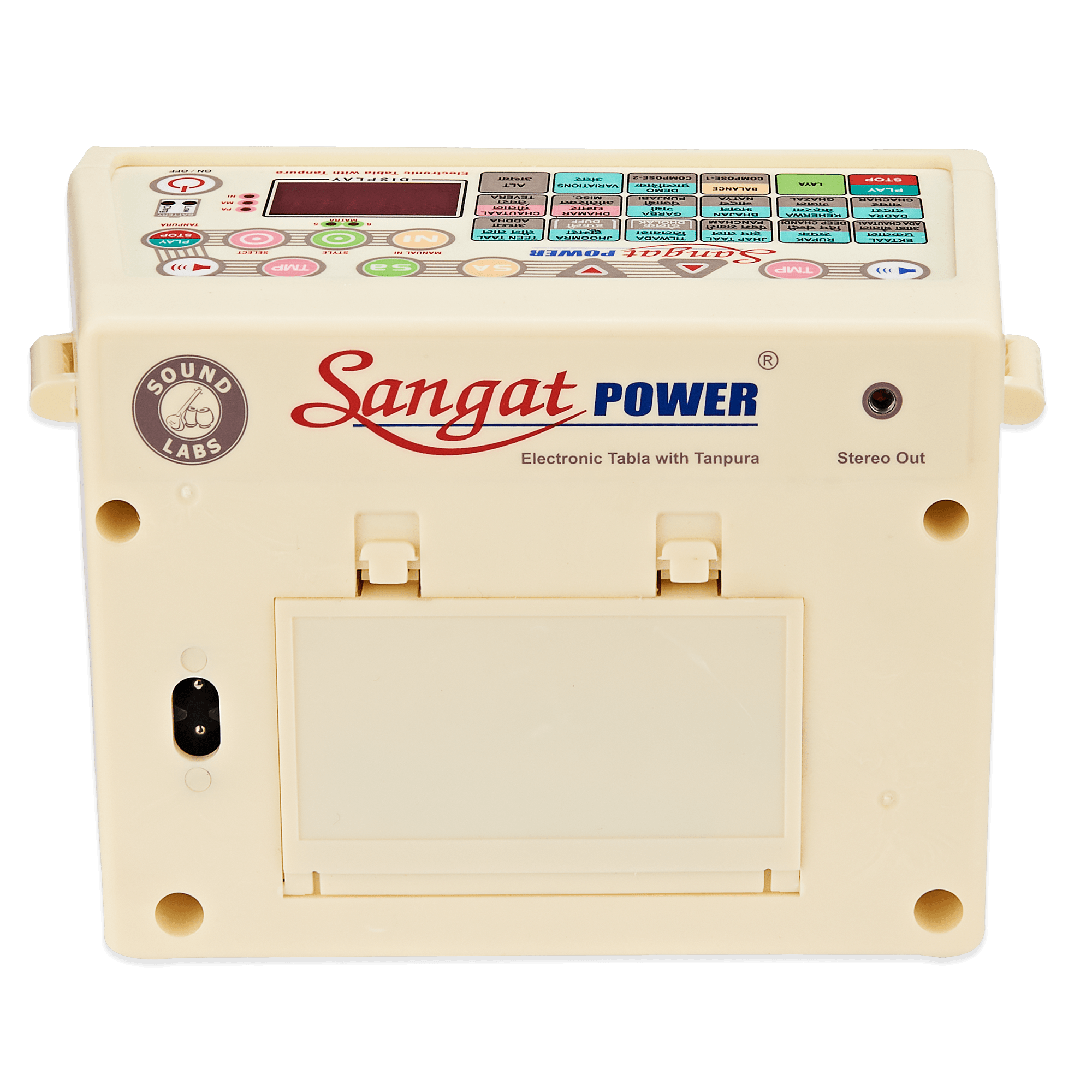
- The stereo auxiliary socket can connect to Sangat Power to a music system. A single socket is provided for both the Tanpura and the Tabla.

In-Built Battery Charger
- The built-in battery charger of the Sangat Power charges a rechargeable Battery even when the instrument is playing. The charging LED indicates this, and when the Battery is low on charge, the Low Battery LED is automatically switched on.

Auto Memory
- The memory function of Sangat Power helps retain your last selection even when the power is switched off. (Including that fine-tuning)

Carry Bag
- The Sangat Power comes in a beautifully embroidered carry bag for daily use and travel.

OPERATING INSTRUCTIONS

ON/OFF
- Plug in the mains cord; two-pin male plug into your AC wall power supply & female socket in the back of the instrument. Switch on the instrument by pressing the On/Off. Note: Pressing the On/Off again turns the instrument off.

COMMON OPERATION

PITCH
- Select your required Sur (Note) using the PITCH SA. Use the Down & Up arrow to navigate from the lowest to the highest Sur (i.e. main notes). The sur selected can be viewed on the display.
The pitch range is from C to E in the higher octave. When selecting any pitch, the pitch of the Tanpura and Tabla will change simultaneously.

FINE PITCH
- You can further fine-tune your Sur by using the Fine PITCH. Use the Down & Up arrow to adjust between Sur.
Note: Fine SA allows very fine pitch adjustment between two main notes (i.e., between C & C# by pressing the Up arrow, and between C & B by pressing the Down arrow).

Note: The same is displayed by a "-" sign. The "-" on the right means the sur is going higher, and on the left means the sur is going lower

TABLA OPERATIONS

PLAY
- Press Play and Theka starts from Sum.
Note: The Number "1" appears on the Display at the start of each Sum cycle.

STOP
- Theka can be stopped at any time by pressing the Stop.
Note: Any operation of the face panel can be performed without stopping the Theka.

TABLA VOLUME
- To set the volume of Tabla press the ‘Tabla Volume’ followed by the Down or Up arrow to either Decrease or Increase the volume respectively. The volume level is visible in digits on the Display

TABLA TEMPO
- To adjust tempo, press the Tempo followed by the Down or Up arrow to either Decrease or Increase the tempo respectively. Note: Beats per minute will be visible on the display.

LAYA
- To set the Laya of the instrument press the Laya Button followed by the Down arrow Button to Decrease from
Dhrut > Madhya > Vilambit > Ati Vilambit. :: Or vice versa.
The selected Laya is visible on the Display. ‘LY1 = Dhrut’, ‘LY2 = Madhya’, LY3 = Vilambit’, ‘LY4 = Ati Vilambit’
Note: Pressing Up arrow will have no effect once the instrument has reached the Dhrut Laya range. Similarly pressing Down arrow will have no effect once the instrument has reached the Ati Vilambit Laya range. An Error sound is produced in both the cases.

BALANCE
- The Relative Volume of the Tabla & the Dagga can be adjusted / balanced by pressing Balance followed by the Up or Down arrow. Pressing Up will increase the audibility of Dhaga & pressing Down will increase the audibility of Tabla

VARIATIONS
- For Thekas (like Garba, Ghazal etc.) Pressing Variations will help you select different Styles of Playing of the same Theka.
Note: "TH1", "TH2", "TH3" etc. can be viewed on the Display on selection of different variations. If only 1 variation is present then only "TH1" is displayed.

DEMO
- Select Demo to hear selected Taals play one after another for 1 Avartan each.

Note: Demo will not play if the Tanpura is playing

COMPOSER
- For composing your own Thekas:
1. Press Stop if the instrument is playing any Thekas.
2. Press Alt and Compose 1 or Compose 2. Note: The Display indicates "PR1" or "PR2".
3. Place the Boll card over the instrument on the top left side.
4. Press the required Bolls as per your composition. Bolls, when pressed, are heard. Wait for the Boll to be fully over before you press next Boll.
5. When finished, press End. Note: HALF + HALF Matra allows 2 Bolls to be inserted in 1 Matra. Some readymade and commonly used Bolls are already provided.

- Example: DHA-GE, NA-NA, TI-TA etc. The same could have been achieved by pressing HALF + HALF Matra first, then pressing DHA and GE.
Note: The key “Last Half Matra” is reserved for making Thekas which have cycle like "7 1/2 Matra", "8 1/2 Matra", "91/2 Matra" etc. The Last Half Matra can be inserted by pressing Key "Last Half Matra" first and then the required Boll. When Theka is played the Last Half Matra is indicated in the display by Two Parallel Lines ( || ) near the number. The

Note: Compositions are maintained in Memory even when the Power is Switched Off.

TANPURA OPERATIONS

TANPURA VOLUME
- To set the volume of Tanpura, press the Tanpura Volume switch followed by the up or down arrow switch to either Decrease or increase the volume, respectively

SELECT
- Select switch helps you in the selection of PA, MA, Ni or only SA style of playing.

Note: The corresponding LED for the PA, MA, or NI will glow. When only SA is selected, no LED will glow

STYLE
- The Style switch helps you in the selection of either the 5 Matra or the 6 Matra style of playing. In the 5 matra style, there is no pause after the first string being played, i.e., PA, MA or Ni
. Note: The corresponding LED of the 5 Matra or 6 Matra will glow.

MANUAL NI
- Nishad can be tuned manually by pressing the Manual NI switch. Use the UP or DOWN arrow buttons to reduce or increase Nishad pitch.
Note: The range for Nishad adjustment is one Sur up on the higher side and one Sur Down on the Lower side ( i.e. If D is selected as Main Sa, Nishad will be adjusted from D to D# on the higher side and D to C# on the lower side. ) Note: The same is displayed by a "-" sign. The "-" on the right means the sur is going higher, and on the left means the sur is going lower

TANPURA TEMPO
- To manually adjust the tempo, press the Tempo switch followed by the UP or DOWN arrow switch to either Decrease or increase the tempo, respectively.
Note: The tempo IS displayed & has a range from 1 to 50. Changing the pitch will reset the tempo to the default setting.

GENERAL

Product Spec
- Weight (0.500 g), Length (18 cm), Height (10 cm) & Width (9 cm)

Battery
- The instrument has an inbuilt battery charger which automatically charges batteries while the instrument is playing. Please use only rechargeable AAA size battery. While charging batteries the Battery Charging LED will glow. In the event of the battery charge being low, the Low Battery LED will glow; thereby prompting

Warranty

1 Year Warranty
- Sangat Power Instrument is warranted against defects arising from faulty materials or quality for one year from the date of purchase.

Included In The Box

  • Musical Instrument

  • Carry Bag

  • Boll Card

  • Instruction Manual

  • Power Cord (3 Yards)

Sangat Power
Sangat Power

Sangat Power

For musicians for whom music is a way of life, Sangat Power is more than an electronic musical instrument. If you have questions or concerns while using the instrument, the Sound Labs support team is on call by phone, WhatsApp, or email to assist. Click the button below to download the Sangat Power operating manual in PDF format.

Download Instruction Manual

Improve your Music

Stop struggling with separate practice tools. Sangat Power from Sound Labs gives you Tabla and Tanpura together in perfect-pitch sync, with natural tones, powerful acoustic clarity, and easy controls. Its ABS cabinet, SMPS power supply, in-built battery charger, and compact design make it suitable for home, classroom, travel, and performance preparation. Backed by Sound Labs’ manufacturing experience and customer support focus, it is made to serve your music for years.

Free shipping

Your Daily Sur & Taal Companion

Your Daily Sur & Taal Companion

Bring home the power of a full musical accompaniment system in one compact machine. Sangat Power by Sound Labs combines Tabla, Tanpura, Pakhawaj, Dholak and Duff with pitch synchronisation, 107 Thekas, 24 Taals, natural tone & independent volume control. Built by a trusted Indian manufacturer with a strong service mindset, it is made for daily Riyaz, teaching, stage support and serious music practice.